
Shapes
- XLogo library of procedures

These procedures draw various shapes. Copy and paste into the Editor window as usual. Many are found in programs throughout this site. They are all transparent (turtle position and heading left unchanged). They assume turtle PenUp when called and leave the pen raised when finished.
Some of these procedures use the rArc, LeftArc, RightArc or Arch arc procedures . You'll need to copy and paste these too.
Some shapes cannot be filled from the centre. Their procedures contain a global Offset , which can be used to correctly position the turtle.
Download complete library of shape procedures here.
To
Annulus
:
Size
# annulus shape drawn from centre (tp)
Make "
Offset
:
Size
/3
# global offset fill
Circle
:
Size
/2
Circle
:
Size
/4
End
Bean
Uses
rArc
procedure.
To
Bean
:
Size
# bean shape drawn from centre (tp)
Make "
Offset
:
Size
/3
# global offset fill
rArc
180
:
Size
/2
Forward
:
Size
/3
rArc
180
:
Size
/6
Forward
:
Size
/3
rArc
180
:
Size
/6
Back
:
Size
/3
rArc
180
:
Size
/6
Back
:
Size
/3
# return to centre
End
Burst
Draw star Burst with radiating spokes.
Used in
DemoStar
and
Scintillate
.
To
Burst
:
Spokes
:
Radius
# star burst drawn from centre (tp)
Repeat
:
Spokes
[
PenDown Forward
:
Radius
PenUp Back
:
Radius
Right 360/
:
Spokes
Wait 2]
End
Button
Draw a square button with rounded corners. The value of side is the total width of the button. The corners need to be less than half the side. If not, a different shape is drawn (try it and see).
Uses
LeftArc
procedure.
Used in
15 Puzzle
.
To
Button
:
Size
:
Corner
# rounded corner shape drawn from centre (tp)
Back
:
Size
/2 Right 90 Back
:
Size
/2-
:
Corner
PenDown
Repeat 4 [Forward
:
Size
-2*
:
Corner
LeftArc
90
:
Corner
]
PenUp Forward
:
Size
/2-
:
Corner
Left 90 Forward
:
Size
/2
# return to centre
End
To
Chevron
:
Size
# chevron shape drawn from centre (tp)
Make "
Offset
:
Size
/4
# global offset fill
PenDown Left 45
Forward 1.414*
:
Size
/2 Right 135 Forward
:
Size
/2
Right 45 Forward 1.414*
:
Size
/2 Right 90 Forward 1.414*
:
Size
/2
Right 45 Forward
:
Size
/2 Right 135 Forward 1.414*
:
Size
/2
Left 45 PenUp
End
Clam
Draw clam shape used in some illusions. Similar to lens shape but slightly fatter, with white topside and black underside.
To
Clam
:
Size
# optical clam shape drawn from centre (tp)
SetPC White Back
:
Size
/3
Arch
112 0.6*
:
Size
Forward
:
Size
/3 Left 180
SetPC Black Back
:
Size
/3
Arch
112 0.6*
:
Size
Forward
:
Size
/3 Left 180
End
Clover
Draw lucky 3 leaf clover shape. See
CloverLeaf
shapes.
Uses
Arch
procedure.
To
Clover
:
Size
# clover shape drawn from centre (tp)
Repeat 3 [
Forward
:
Size
/3.74
Arch
300 0.23*
:
Size
Back
:
Size
/3.74 Left 120]
End
To
Cross
:
Side
# cross drawn from centre (tp)
Back
:
Side
/2 Right 90 Back
:
Side
/3 PenDown
Repeat 4 [
Forward
:
Side
/1.5 Left 116.57
Forward
:
Side
/2.7 Right 143.14
Forward
:
Side
/2.7 Left 116.57]
PenUp Forward
:
Side
/3 Left 90 Forward
:
Side
/2
# r2c
End
Egg
Uses
rArc
procedure.
To
Egg
:
Size
# egg shape drawn from centre (tp)
Make "
Size
:
Size
/1.3
Forward
:
Size
/2.9 Left 45
rArc
90 0.292*
:
Size
Back
:
Size
/1.414
rArc
45
:
Size
Forward
:
Size
/2
rArc
180
:
Size
/2
Back
:
Size
/2
rArc
45
:
Size
Forward
:
Size
/1.414 Right 45 Back
:
Size
/2.9
# r2c
End
Heart
Uses
rArc
procedure.
To
Heart
:
Size
# heart shape drawn from centre (tp)
Forward
:
Size
/4 ForEach "
P
[1 -1] [
# parity
Left
:
P
*90 Forward
:
Size
/4 Right
:
P
*90
Arch
180
:
Size
/4
Right
:
P
*90 Back
:
Size
/15 Right
:
P
*33.5
Arch
67 49*
:
Size
/60
Left
:
P
*33.5 Forward 19*
:
Size
/60 Left
:
P
*90]
Back
:
Size
/4
# return to centre
End
Horseshoe
Uses
Arch
procedure.
Used in
Shapes
.
To
Horseshoe
:
Size
# horseshoe shape drawn from centre (tp)
Make "
Offset
:
Size
/3
# global offset fill
Arch
180
:
Size
/2
Arch
180
:
Size
/4
ForEach "
P
[1 -1] [
# parity
Left
:
P
*90 Back
:
Size
/2 Left
:
P
*12.75
Arch
25.5
:
Size
Arch
25.5 0.75*
:
Size
Left
:
P
*12.75
Forward 0.875*
:
Size
Left
:
P
*90
Arch
180
:
Size
/8
Right
:
P
*90 Back 0.875*
:
Size
Right
:
P
*25.5
Forward
:
Size
/2 Right
:
P
*90]
End
Kite
Used in
Edge
and
Kite Tree
.
To
Kite
:
Size
# kite shape drawn from centre (tp)
Back
:
Size
/2 PenDown
Left 18.4 Forward
:
Size
/1.26 Right 63.4
Forward
:
Size
/2.82 Right 90 Forward
:
Size
/2.82
Right 63.4 Forward
:
Size
/1.26
PenUp Right 161.6 Forward
:
Size
/2
# return to centre
End
Lens
Uses
Arch
procedure.
(The shapes used in
LuneTree
are Lens shapes, drawn from one end to act as branches).
Used in
Edge
LuneTree
TilePattern
To
Lens
:
Size
# lens shape drawn from centre (tp)
Repeat 2 [
Back
:
Size
/2
Arch
90
:
Size
/1.414
Forward
:
Size
/2 Left 180]
End
Lenses
See
Lens Shapes
.
Lune
Uses
Arch
procedure.
To
Lune
:
Size
# lune shape drawn from centre (tp)
Make "
Offset
:
Size
/3
# global offset fill
Arch
240
:
Size
/2 Back
:
Size
/2
Arch
120
:
Size
/2 Forward
:
Size
/2
End
Occitan
Uses
Arch
procedure.
To
Occitan
:
Size
# occitan shape drawn from centre (tp)
Repeat 2 [
Arch
90
:
Size
/2 Left 90 Back 1.414*
:
Size
/2
Arch
90
:
Size
/2 Forward 1.414*
:
Size
/2 Left 90]
End
Oval
Uses
Arch
procedure.
To
Oval
:
Size
# oval shape drawn from centre (tp)
Repeat 2 [
Back
:
Size
/4
Arch
90
:
Size
/1.66 Forward
:
Size
/4
Left 90
Forward
:
Size
/4
Arch
90
:
Size
/4 Back
:
Size
/4
Left 90]
End
Parallelogram
Draw a parallelogram from the centre
:
Wide
wide and
:
High
high.
Subtract PenWidth from
:
Wide
and
:
High
for a parallelogram of exact size.
Uses an optional variable
:
P
of 1. Use a value of minus 1 for mirror image.
Used in
TilePattern
To
Pgram
:
Wide
:
High
[
:
P
1]
# parallelogram shape drawn from centre (tp)
# default parity of 1, use minus 1 for mirror image
LocalMake "
Ang
ATan
:
Wide
/(
:
High
/2)
# inner angle
LocalMake "
Len
:
Wide
/ Sin
:
Ang
# side length
Back
:
High
/4 Right
:
P
*
:
Ang
Back
:
Len
/2 PenDown
Repeat 2 [
Forward
:
Len
Left
:
P
*
:
Ang
Forward
:
High
/2 Left
:
P
*(180-
:
Ang
)]
PenUp Forward
:
Len
/2 Left
:
P
*
:
Ang
Forward
:
High
/4
# r2c
End
Pebble
Draw a pebble from the centre
:
Wide
wide and
:
High
high.
Subtract PenWidth from
:
Wide
and
:
High
for a pebble of exact size.
Uses
LeftArc
procedure.
See
Pebble Shapes
.
To
Pebble
:
Wide
:
High
# pebble shape drawn from centre (tp)
LocalMake "
Diff
Abs
:
Wide
-
:
High
If
:
Wide
>
:
High
[LocalMake "
Rad
:
High
/2 LocalMake "
Vert
0 LocalMake "
Horiz
:
Diff
]
[LocalMake "
Rad
:
Wide
/2 LocalMake "
Vert
:
Diff
LocalMake "
Horiz
0]
PenUp Back
:
High
/2 Right 90 Back
:
Horiz
/2 PenDown
Repeat 2 [
Forward
:
Horiz
LeftArc
90
:
Rad
Forward
:
Vert
LeftArc
90
:
Rad
]
PenUp Forward
:
Horiz
/2 Left 90 Forward
:
High
/2
# return to centre
End
Polygon
Draw a polygon of 'N' sides, with width 'Wide'. The polygon is drawn from the centre.
To
Polygon
:
N
:
Wide
# polygon of 'N' sides drawn from centre (tp)
Make "
Side
:
Wide
*Sin 180/
:
N
# length of one side
Right 180/
:
N
Back
:
Wide
/2 Right 90-180/
:
N
PenDown
Repeat
:
N
[Forward
:
Side
Left 360/
:
N
]
PenUp Left 90-180/
:
N
Forward
:
Wide
/2 Left 180/
:
N
# return to centre
End
Propeller
Draw propeller shape.See
CloverWave
shapes.
Uses
Arch
procedure.
To
Propeller
:
Size
# propeller shape drawn from centre (tp)
Repeat 3 [
Forward
:
Size
/3
Arch
240
:
Size
/6
Back
:
Size
/3 Left 60
Forward
:
Size
/3 Left 180
Arch
120
:
Size
/6 Left 180
Back
:
Size
/3 Left 60]
End
Quad
Draw quad shape.See
CloverWave
shapes.
Uses
Arch
procedure.
To
Quad
:
Size
# quad shape drawn from centre (tp)
Repeat 4 [
Forward
:
Size
/2.185 Left 180
Arch
135
:
Size
/5.7 Left 180
Back
:
Size
/2.185 Left 45 Forward
:
Size
/2.185
Arch
225
:
Size
/5.7 Back
:
Size
/2.185 Left 45]
End
Quatquetra
Best to draw 4
Lens
shapes if a filled Quatquetra needed.
Uses
Arch
procedure.
To
Quatquetra
:
Size
# quatquetra shape drawn from centre (tp)
Repeat 4 [
Back
:
Size
/2
Arch
180
:
Size
/2
Forward
:
Size
/2 Left 90]
End
Rectangle
Draw a rectangle from the centre with sides of
:
Wide
wide and
:
High
high.
Subtract PenWidth from
:
Wide
and
:
High
for a rectangle of exact size.
Used in
Chequer
,
Swatches
,
White's Illusion
.
To
Rectangle
:
Wide
:
High
# rectangle (wide x high) drawn from centre (tp)
Back
:
High
/2 Right 90 Back
:
Wide
/2 PenDown
Repeat 2 [
Forward
:
Wide
Left 90 Forward
:
High
Left 90]
PenUp Forward
:
Wide
/2 Left 90 Forward
:
High
/2
# r2c
End
Rhombus
Draw a rhombus from the centre with width
:
Size
.
Subtract PenWidth from
:
Size
for a rhombus of exact size.
Uses an optional variable
:
P
of 1. Use a value of minus 1 for mirror image.
Used in
TilePattern
To
Rhombus
:
Size
[
:
P
1]
# rhombus shape drawn from centre (tp)
# default parity of 1, use minus 1 for mirror image
Back
:
Size
/4 Right
:
P
*63.4 Back
:
Size
/1.79 PenDown
Repeat 2 [
Forward
:
Size
/0.894 Left
:
P
*63.4 Forward
:
Size
/2 Left
:
P
*116.6]
PenUp Forward
:
Size
/1.79 Left
:
P
*63.4 Forward
:
Size
/4
# r2c
End
Right Angled Triangle
Draw a RAT from the centre with width
:
Size
.
Used in
TilePattern
To
RightAngTri
:
Size
# right angled triangle drawn from centre (tp)
Back
:
Size
/4 Right 45
PenDown Forward 1.414*
:
Size
/2
Left 135 Forward
:
Size
Left 135 Forward 1.414*
:
Size
/2 PenUp
Left 135 Forward
:
Size
/4
# return to centre
End
Salinon
Uses
rArc
procedure.
To
Salinon
:
Size
# salinon shape drawn from centre (tp)
rArc
180
:
Size
/2
rArc
180
:
Size
/6
Forward
:
Size
/3
rArc
180
:
Size
/6
Forward
:
Size
/1.5 Left 180
rArc
180
:
Size
/6
Left 180 Forward
:
Size
/3
# return to centre
End
Sector
Inner and outer radius (Rad1 and Rad2) can be in either order. If either is zero, then a 'slice of pie' shape is drawn.
Uses
Arch
procedure.
Used in
Eye
.
To
Sector
:
Angle
:
Rad1
:
Rad2
# sector shape drawn from centre (tp)
Make "
Offset
(
:
Rad1
+
:
Rad2
) /2
# global offset fill
Arch
:
Angle
:
Rad1
Arch
:
Angle
:
Rad2
Left
:
Angle
/2
Forward
:
Rad1
PenDown Forward (
:
Rad2
-
:
Rad1
)
PenUp Back
:
Rad2
Right
:
Angle
Forward
:
Rad1
PenDown Forward (
:
Rad2
-
:
Rad1
)
PenUp Back
:
Rad2
Left
:
Angle
/2
# return to centre
End
Square
Draw a square from the centre with side length
:
Side
.
Subtract PenWidth from
:
Side
for a square of exact size.
Used in
CloverArt
,
Condensation
,
Chessboard
,
GridArt
,
Assimilation
,
Bulge
,
CafeWall
,
Grid
,
Hermann
,
Intertwine
,
Marbles
,
Orbinson
,
KnightsTour
,
Partridge
,
Edge
,
SpinningSquares
.
To
Square
:
Side
# square (side x side) drawn from centre (tp)
Back
:
Side
/2 Right 90 Back
:
Side
/2 PenDown
Repeat 4 [
Forward
:
Side
Left 90]
PenUp Forward
:
Side
/2 Left 90 Forward
:
Side
/2
# r2c
End
Star
Draw a five pointed star from the centre with height
:
Size
.
To
Star
:
Size
# 5 pointed star shape drawn from centre (tp)
Forward
:
Size
/2 Right 162 PenDown
Repeat 5 [
Forward
:
Size
/2.76 Left 72 Forward
:
Size
/2.76 Right 144]
PenUp Left 162 Back
:
Size
/2
# return to centre
End
Stars
See
Star Shapes
.
Triquetra
Uses
rArc
procedure.
To
Triquetra
:
Size
# triquetra shape drawn from centre (tp)
LocalMake "
Step
:
Size
/2 *Tan 30
Repeat 3 [
Back
:
Step
Left 90
rArc
60
:
Size
/2
Right 60
rArc
60
:
Size
/2
Left 90 Forward
:
Step
Left 120]
End
Yin
Uses
rArc
procedure.
Uses an optional argument
:
Parity
of 1. Use a value of
Minus 1
for mirror image. eg
(
Yin
:
Size
Minus 1)
-in brackets. Instead of
Yin
:
Size
for normal shape.
Used in
Yin Yang
.
To
Yin
:
Size
[
:
Parity
1]
# yin shape drawn from centre (tp)
# default parity of 1, use minus 1 for mirror image
Make "
Offset
:
Size
/4
# global offset fill
rArc
180
:
Size
/2 Back
:
Parity
*
:
Size
/4
rArc
180
:
Size
/4 Back
:
Parity
*
:
Size
/2
rArc
180
:
Size
/4 Back
:
Parity
*
:
Size
/4 Left 180
End
- Books
- logo
- fractals
- graphics
- maths
- life
- puzzles
- mathsgen
- Colors
- Generative
- Glossary
- Procedures
- arc
- color
- list
- math
- recursive
- shape
- Turtles
- Tutorial

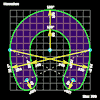
Shapes

Annulus

Bean

Burst

Button

Chevron

Clover

Cross

Egg

Heart

Hoseshoe

Kite

Lens

Lenses

Lune

Occitan

Oval

Parallelogram
Parity: 1

Parallelogram
Parity: -1

Pebble

Polygons

Propeller

Quad

Quatquetra

Rectangle

Rhombus
Parity: 1

Rhombus
Parity: -1

Right Angled
Triangle (RAT)

Salinon

Sector

Square

Star

Stars

Triquetra

Yin
Parity: 1

Yin
Parity: -1

Visit
XLogo
web site